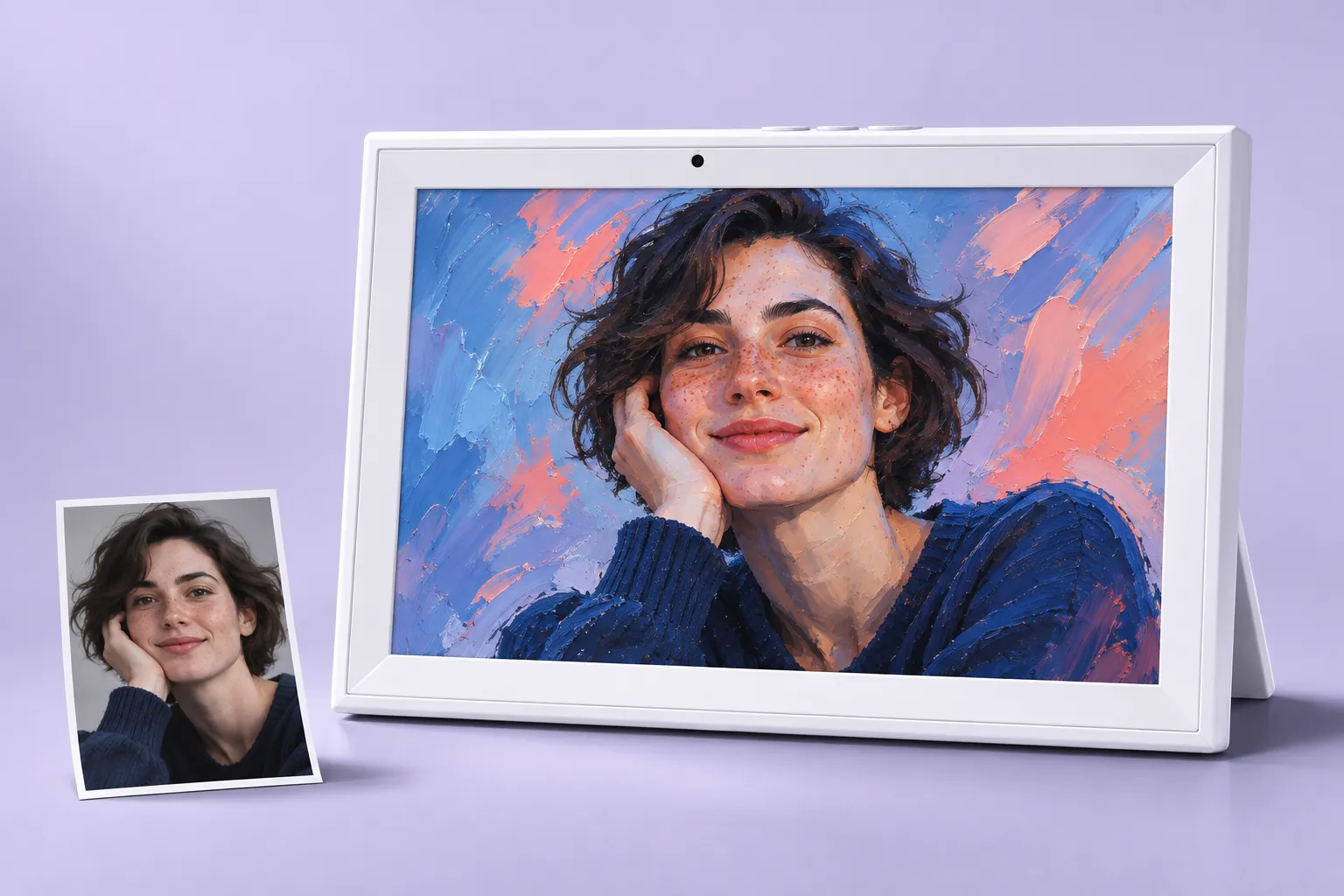
AI ART FRAME · PERSONAL CREATIVE DISPLAY
Turn your photo
into art you can live with.
Create a creative portrait in July.Art, send it to your paired frame, and keep your favourite photos, art and daily view close.
Built to grow with new portrait templates and image experiences.
01 / FROM PHOTO TO PERSONAL ART
One photo.
Many creative directions.
July.Art is designed to grow beyond a single style. Explore creative portrait templates and new image experiences, then choose the result that belongs in your space.
The library will expand over time. Current tools and results depend on the available July.Art service.
Start with a photo.
Choose a clear image with the subject fully visible and ready to become something new.
Explore a template.
Try a creative portrait direction, review the result and keep the version you love.
Give it a place.
Send the finished image to your paired, internet-connected frame through the supported app.
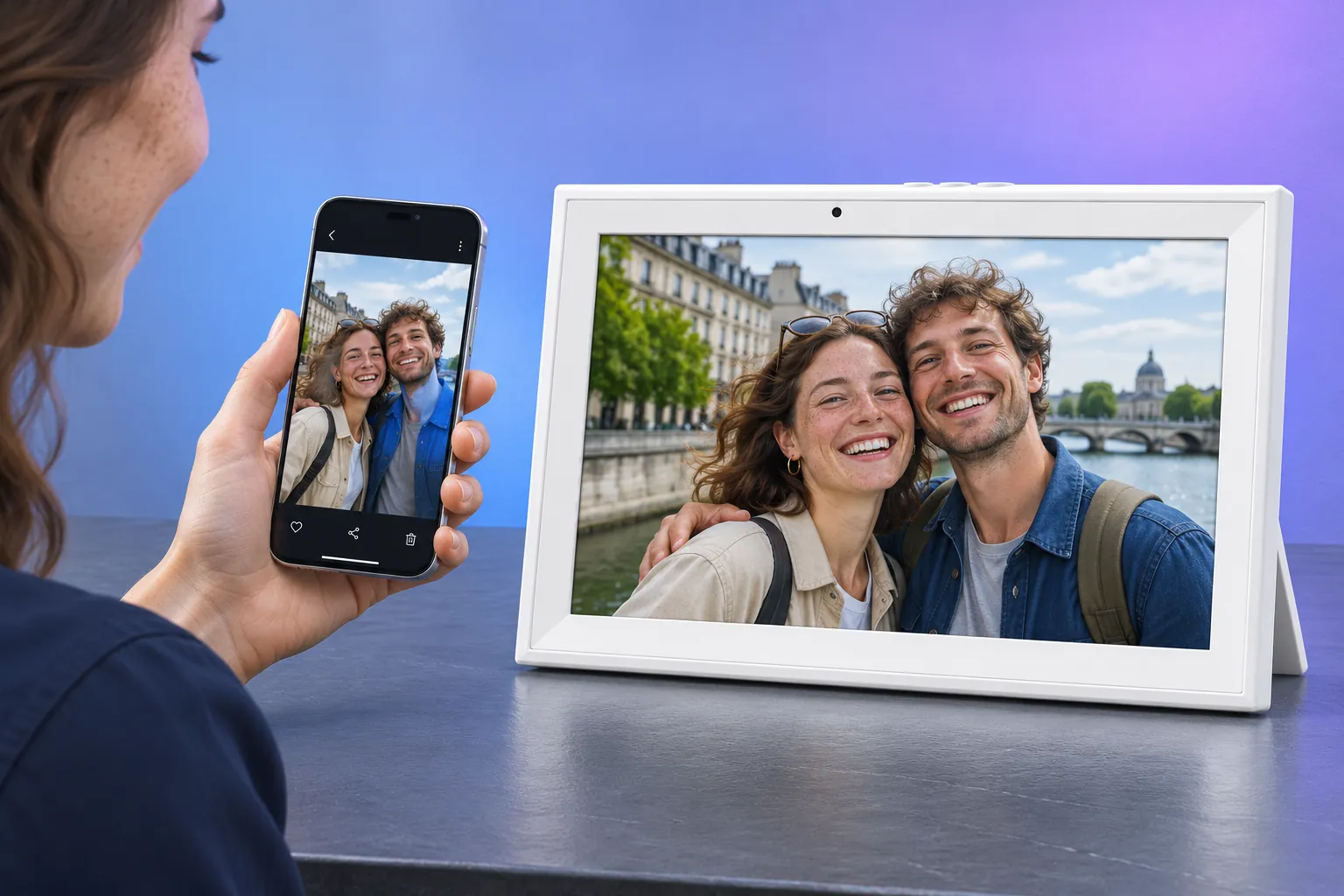
02 / FROM YOUR PHONE TO YOUR FRAME
Send a new view home.
Choose a photo or finished portrait in the supported app and send it to your paired, internet-connected frame. A new memory does not have to stay buried in your camera roll.
Remote sharing requires a supported, paired device and an internet connection.
03 / THREE MODES, ONE PERSONAL DISPLAY
Your frame changes
with the way you live.
Use the mode that fits the moment: keep memories visible, build a personal art gallery, or check the day at a glance.
Photo mode
Keep favourite faces, trips and everyday moments in view. Supported video clips can add movement when available.
Art Gallery mode
Switch between photography, illustration and creative portraits from your growing collection.
Calendar mode
See a month view beside a favourite image. Check-in features are part of the planned evolution; the current mode is a calendar display, not shared scheduling.
04 / A LIBRARY THAT KEEPS GROWING
More than one picture.
More than one moment.
As new templates and image experiences are added, your frame can keep receiving fresh creative directions instead of becoming a finished slideshow.
Portrait templates
Try different ways to reinterpret the same person, subject or memory.
Image experiences
Explore creative directions for portraits, illustrations and themed moments as they become available.
A living gallery
Keep changing what the frame means to you—without replacing the hardware.
05 / THE HARDWARE THAT HOLDS IT
A personal gallery,
made practical.
Touch to browse, play supported video clips, keep a local collection with 32GB storage and use microSD playback when needed.
microSD card sold separately. Supported formats depend on the device.
Touch to explore.
Browse your picture, art and playback collection directly on the frame.
Keep your collection close.
Use the built-in 32GB storage and supported microSD playback for local content.
Choose your regional plug.
Select EU, US or AU to match the outlet where your white 10.1-inch frame will be used.
06 / MAKE IT YOURS
From a favourite face
to a favourite place.
A creative portrait can be a daily reminder, a gift with a story, or the first piece in a gallery that keeps growing.
07 / THE DETAILS THAT MATTER
One white frame.
Three plug options.
A white 10.1-inch landscape frame with EU, US or AU power options. Select the plug that matches your outlet when you order.
Frame details
- Display size
- 10.1 inches
- Body
- White, landscape frame with rear stand
- Display modes
- Photos · Art Gallery · Calendar display
- Storage and playback
- 32GB built-in storage · supported video · microSD playback
- Sharing and power
- Supported app · paired Wi-Fi sharing · EU / US / AU plugs
08 / BEFORE YOU CHOOSE
Useful answers before you choose.
Where is the creative portrait made?
Creative portrait tools are used in July.Art. Review your result, then prepare and send the finished image to the frame. Online creation requires internet access and can use credits.
What are the three display modes?
The current modes are Photo, Art Gallery and Calendar display. Calendar mode currently shows a date view beside an image; it is not a shared planner.
Will new templates and image experiences be added?
The creative library is designed to expand with more portrait templates and image experiences. Availability and release timing may vary.
Is check-in already part of Calendar mode?
Not yet. Check-in features are part of the planned evolution of the calendar experience. The current product claim is calendar display only.
Can I display ordinary photos and video clips?
Yes. The frame supports ordinary photos, supported video clips and personal art content. Supported formats depend on the device.
Select EU, US or AU to match the outlet where you will use the white 10.1-inch frame.
Keep creating.
Keep it in view.
Your photo. Your art. Your frame.